
THE LISTENING GUIDE
YMusic MP3, M4A or Opus: which should you choose?
Choose MP3, M4A or Opus in YMusic with source-quality limits, practical file-size examples and a playback check for your intended music player.
Read the guideYMusic APK download starts with a checked source.
Get the publisher-linked YMusic V4 APK and check the file details before installing. Find help with background playback, playlists and local files. The inspected ARM64 download reports 4.0.15.
Five-second countdown · publisher-linked GitHub APK Checked 3 November 2026
View archived app previewsAn Android app focused on how you listen.
YMusic V4 is the music app distributed through ymusic.io and its linked YMusicV4 project.
The publisher describes audio-only playback with the screen off, a local music library, SponsorBlock, a sleep timer and a ten-band equalizer. It offers Android, macOS, Windows and Linux downloads. The publisher still marks iOS as “Soon”.
Playing an online item, adding a playlist reference and saving an audio file are separate actions. Check the destination and the completed file before depending on offline playback. Save only media you have permission to download.
This Android record covers package io.ymusic.android. If you already use the older V3 app, read the V3-to-V4 migration guide before removing it. Similar names such as “Y Music” or “YTMusic” can refer to other products.
Start with what you want to do,
then follow the relevant guide.
Listen while another app is open or your screen is off. If it stops only after locking, review battery and background-data controls.
Set up background playbackSearch by artist and title, then check whether you found the original, a live version, a mix or a playlist before choosing an item.
Find and check a songV4 release notes describe playlist backup and Android MediaStore import. Preserve the audio files separately from the playlist.
Understand YMusic playlistsCheck the destination folder and completed file after a permitted download. A queued task and a playable file are not the same thing.
Check offline filesThe publisher describes reducing unnecessary video-data use. Your actual data use still depends on the stream and time spent listening.
Understand audio and format choicesThe publisher describes a sleep timer and ten-band equalizer. Check the timer if playback stops after a consistent interval.
Explore playback controlsFeature descriptions come from the current publisher website and V4 release notes. The archived screenshots below show an older interface. How we distinguish evidence.
The main button opens a five-second countdown, then requests the inspected ARM64 APK from the publisher-linked GitHub release. Its bytes and SHA-256 matched the published asset digest. You can also check the publisher source.
Download YMusic APKPublished 3 November 2026. The V4.0.15 release notes describe Android playback, saved-setting and folder-selection fixes. Earlier V4 releases describe queue and audio-import fixes. Other architecture files have different fingerprints.
Package: io.ymusic.android
SHA-256:
b332fc5c627795481ef81f3e12803300320b5b2c5ecbfe3f750f7e430bfca3b5This fingerprint applies to the exact inspected file. It is not a safety verdict.
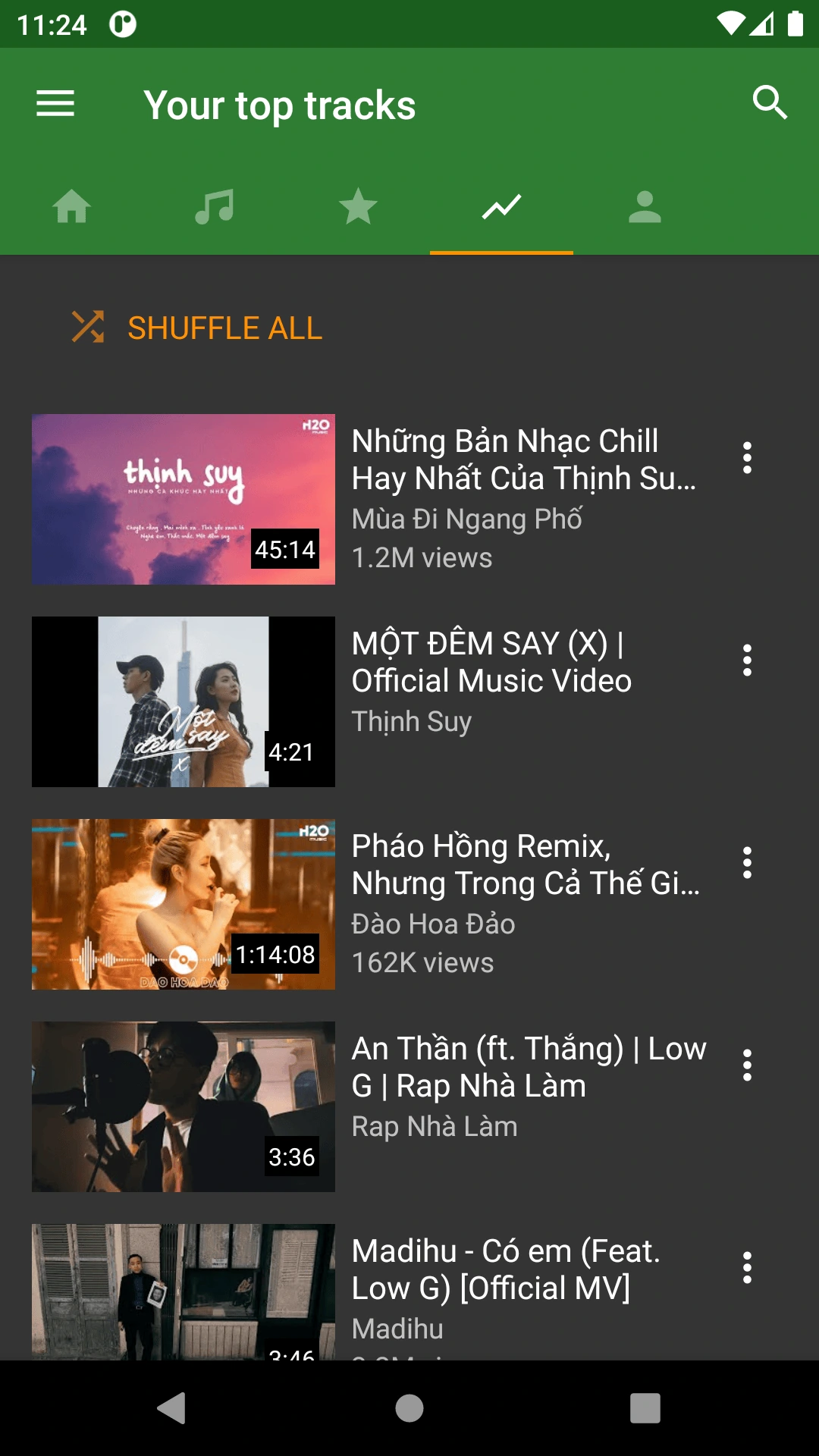
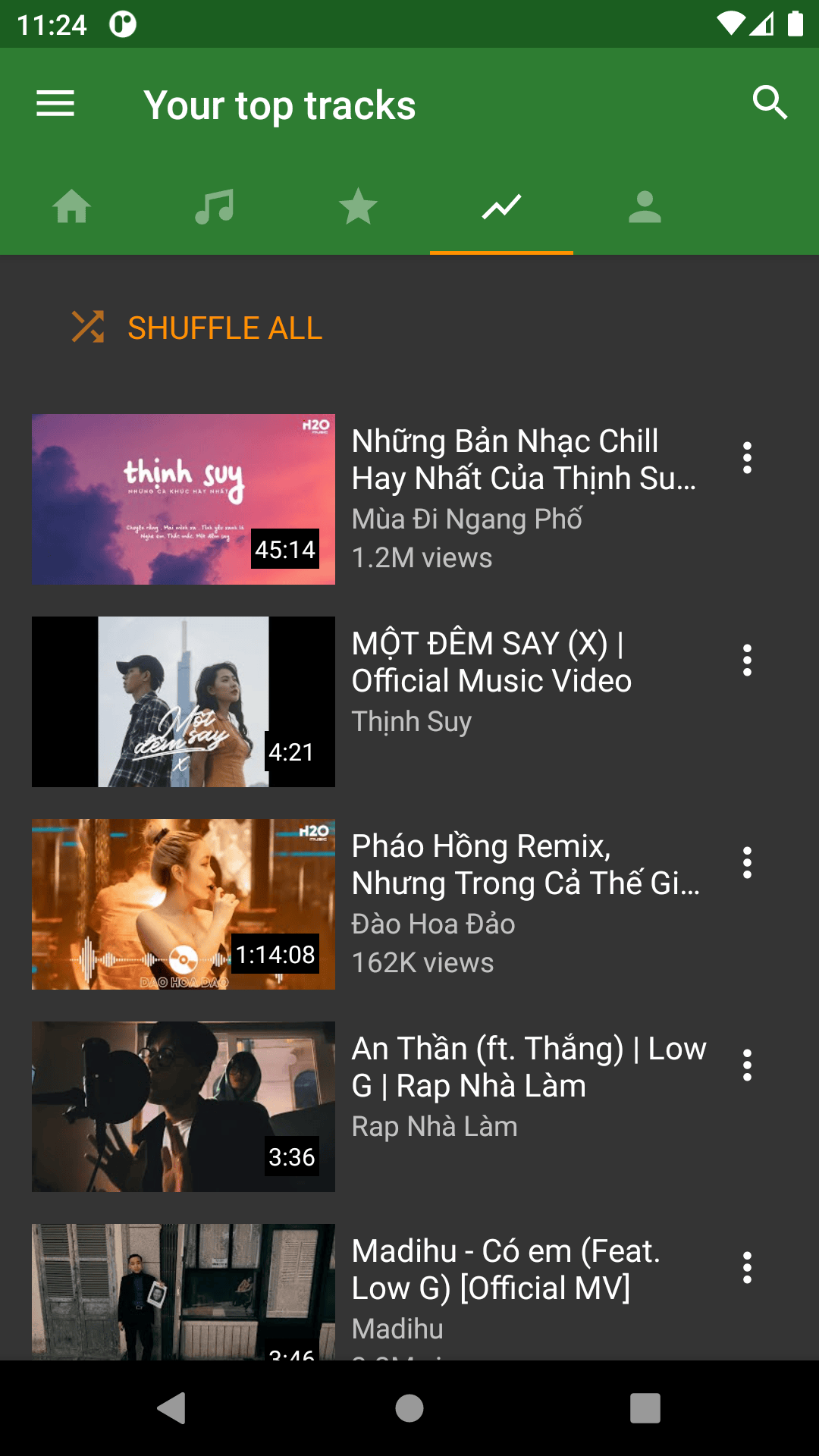
Genuine images from the legacy interface.
These do not show YMusic V4.
This legacy preview shows category tabs, a search control, Shuffle all and video thumbnails. The current V4 interface may differ.
Exact legacy build unknown. Retrieved 13 October 2026. Original image.
The app preview is a genuine archived image with an unknown exact build. No current V4 screenshots or device tests are claimed. The headphones and lifestyle images are AI-created illustrations.
Follow ymusic.io to its GitHub release, choose a compatible Android build, and wait for the APK transfer to finish.
Use your browser’s Downloads list or file manager. Android may ask for install permission for that specific app.
Keep Play Protect enabled and read any warning. Install only when the file and prompt are what you intended.
Open YMusic, check App info and review permissions. Turn off temporary install permission afterward.
Illustrated overview, not Android screenshots. Already installed? Update YMusic without starting with an uninstall.

Background audio is one of the publisher’s main feature descriptions. Before changing settings, play the same item with your screen on, then lock the screen and note what happens.
An online stream still needs access to its source. A removed or unavailable item can stop working even if it remains in a list.
A playlist organizes references to tracks. Adding a song to a playlist does not automatically download its audio.
A completed permitted download is a local file. Find the folder and test playback before relying on it away from a connection.
The V4 release notes describe creating a local playlist from downloaded items of a YouTube playlist. Check each transfer and the completed files; that feature does not establish that every item in a list downloaded. If saved songs are absent from the Library, use the folder-access and missing-download checks.
Use a bitrate assumption to estimate audio size. This is a planning calculation, not a promise about YMusic’s offered formats or actual output.
Audio only; excludes APK, artwork, cache and temporary conversion files. Formula: tracks × minutes × 60 × kb/s ÷ 8,000. Inputs stay in your browser.
Publisher-described background audio and local folders, with its own project terms. Check the Android package and source; macOS has separate release files.
Review the YMusic sourceGoogle documents Premium music background play and offline listening, with podcast exceptions and regional differences. It has supported iPhone and Android apps.
Understand the iPhone options“YTMusic” is often used for YouTube Music. Installing YMusic does not provide a YouTube Premium membership.
Check file completion, storage, the installer app’s permission and update conflicts.
Fix installation problemsTry a second item and compare with the original service before resetting app data.
Check playback errorsCompare a working webpage, trusted Wi-Fi and mobile-data access.
Check network accessCompare the package, signing identity and installed version before uninstalling.
Update YMusicThe publisher-linked APK’s manifest, byte size, file hash and certificate were extracted. Its cryptographic signature was not validated, and no malware scan or real-device test was performed. Those limits matter more than a generic “100% safe” badge.
Read the app’s policy, review permissions and keep Android’s protections enabled. A file matching a dated hash does not guarantee safe behavior.
Review the exact evidence and permissionsChoose a platform route that actually exists.
The checked ARM64 APK declares Android 7.0 as its minimum. Choose a build supported by your device; newer Android versions may apply background restrictions.
Android installation guideThis APK cannot install on iPhone. The publisher marks iOS as “Soon”; similarly named App Store products can belong to other developers.
YMusic for iPhone explainedThe publisher supplies macOS images, Windows installers and Linux DEBs. Choose the correct operating system and architecture; an Android APK is a separate file.
See supported service routesVersions, playlists, platforms
and the questions users search for.
The publisher-linked file checked on 3 November 2026 reports version 4.0.15, code 20. Recheck the publisher page for a later file. A “latest version” search snippet is not primary release evidence.
Yes. It opens the download screen with a five-second animation, then requests the publisher-linked ARM64 APK from GitHub. You can cancel the countdown or retry if your browser does not begin the transfer. The full file identity appears in the APK-details section.
The V4.0.4 release notes describe MP3 as re-encoded and M4A, WebM and video as keeping original streams. Use an option actually offered for the item you may save, then inspect one completed file. Compare MP3, M4A and Opus.
A saved playlist is not automatically a downloaded collection. V4 release notes discuss downloaded playlist items and local playlist creation. Check the actions shown and count the completed files before relying on them offline. Read the playlist download checklist.
The publisher website marks iOS as “Soon” and currently supplies Android, macOS, Windows and Linux downloads. This APK is for Android. Similarly named App Store apps may have different developers. See the iPhone compatibility explanation and Google’s supported YouTube Music route.
Use the publisher’s macOS release for Apple Silicon or Intel when that is your platform. Windows installers and Linux DEBs are also available. The Android APK does not install as a native desktop app. See the platform and service options.
Third-party historical listings mention 3.9.11, but no publisher file and signing history for it were verified in this project. We do not offer an unverified old APK. The version and rollback guidance explains what to check first.
No. This site covers package io.ymusic.android from ymusic.io. YouTube Music is Google’s separate service. Its accounts, subscriptions and platform support follow Google’s rules. Compare YMusic with YouTube Music.
Account requirements depend on the feature and source service. The current V4 account flow was not tested here, so we do not promise that every feature works signed out. Read the V4 project terms and privacy information before signing in. This website has no login form and never asks for your Google or YouTube password.
This guide covers the Android app distributed by ymusic.io. The publisher website supplies app information and a download; a separate browser-based YMusic player was not verified. If you meant Google’s web music service, use YouTube Music. An online stream and a completed local audio file have different connection requirements.
The publisher exposes the Android APK without a checkout on its download page. That observation does not establish every feature’s future pricing or data practices. Review the current V4 terms and release notes. Installing YMusic does not provide a Google or YouTube Premium membership.
First confirm it works with the screen on. If locking triggers the failure, review the app’s battery/background-data access and any OEM sleeping-app rule. If it also fails in the foreground, check playback and network causes. Follow the background checklist.
A partial file, insufficient storage, installer permission, incompatible package or signing conflict can prevent installation. Read the exact error and keep Play Protect on. Start with the installation checks, especially before removing an existing copy.
The release file was inspected without running the app. Its byte size and SHA-256 matched the publisher-linked GitHub asset digest. Feature descriptions come from current publisher material; the app screenshots are archived legacy references. AI-created artwork is used only as illustration.
Initial research and writing were AI-assisted. Named human review is pending. Read the editorial policy or report a correction.
THE LISTENING GUIDE
Choose MP3, M4A or Opus in YMusic with source-quality limits, practical file-size examples and a playback check for your intended music player.
Read the guideTHE LISTENING GUIDE
Find missing YMusic downloads by checking the saved file, folder access and Library scan. Covers V4 fixes and checks that protect your existing songs.
Read the guideTHE LISTENING GUIDE
Move from YMusic V3 to V4 without deleting your only copy of songs. Check app identity, folder access, playlist limits and backups first.
Read the guideArticle artwork is AI-created illustration, not a screenshot of the app.
Download the checked file, then follow the installation steps for your phone.